
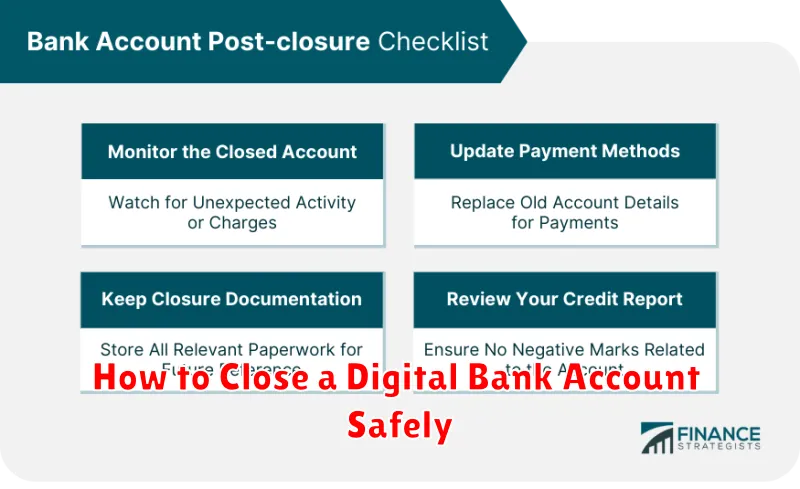
Closing a digital bank account might seem simple, but ensuring it’s done safely and securely requires careful consideration. This guide provides a comprehensive step-by-step process on how to close your digital bank account, protecting your financial information and avoiding potential fees or complications. Whether you’re switching to a new digital bank, consolidating accounts, or simply no longer need a particular account, following these steps will help ensure a smooth and safe closure.
Learn how to navigate the complexities of closing a digital bank account. From verifying zero balance and transferring remaining funds to downloading transaction history for your records, we’ll cover all the essential steps. Understanding how to properly close your online bank account protects you from potential fraud and maintains a clear financial record. This article will equip you with the knowledge to confidently and safely close your digital bank account.
Reasons to Close Your Account
There are various reasons why you might choose to close your digital bank account. Understanding these reasons can help you make an informed decision.
Common Reasons
-
Switching Banks: You might find a different bank that offers better interest rates, lower fees, or features that better suit your needs.
-
Dissatisfaction with Service: Perhaps you’ve experienced poor customer service or technical issues with the platform.
-
Consolidating Accounts: Managing multiple accounts can be cumbersome. You might decide to simplify your finances by consolidating into fewer accounts.
-
Security Concerns: While rare, you might have concerns about the security of your account or the bank’s platform.
-
Account Inactivity: You might have an account you no longer use and wish to close to avoid potential fees or complications.
Less Common Reasons
Other reasons might include relocating to a country not served by the bank or simply preferring traditional banking methods.
Transfer Remaining Funds
Before closing your digital bank account, ensure you transfer any remaining balance to another account. This is a crucial step to avoid losing access to your money.
You can typically transfer funds electronically to a linked external account, such as another bank account or a linked debit card. Verify the destination account details to prevent errors. Depending on your bank’s policies, this process may take a few business days.
Consider transferring a small test amount first to confirm the transfer process works correctly and the receiving account information is accurate. After the test transaction is successful, you can transfer the remaining balance.
If you have any difficulties transferring funds, contact your digital bank’s customer support for assistance.
Cancel Automatic Payments
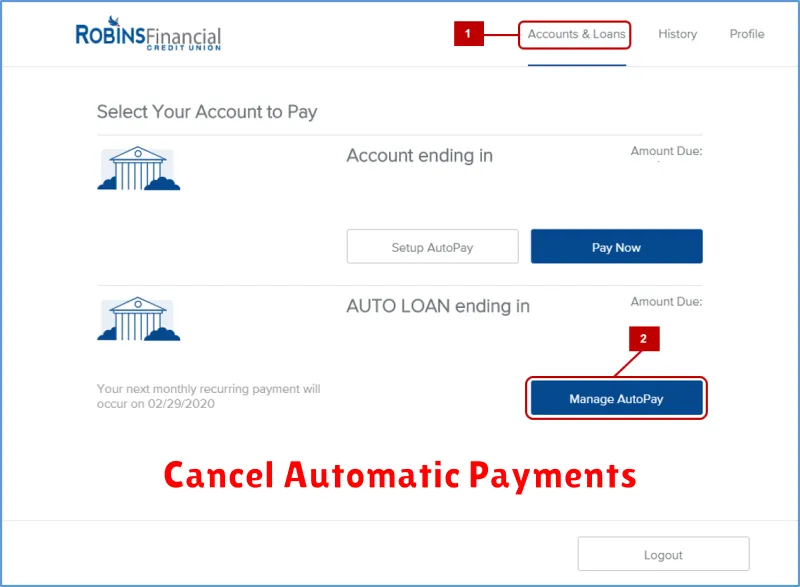
Before closing your digital bank account, it’s crucial to cancel any automatic payments linked to it. This includes bill payments, subscriptions, and other recurring transactions. Failure to do so could result in declined payments, late fees, and disruptions to your services.
Start by making a comprehensive list of all automated transactions connected to your account. Review your recent bank statements and online banking platform for a complete picture.
Contact each company or service provider individually to update your payment information. Provide them with your new bank account details or alternative payment method. Confirm the cancellation of the automatic payment with each provider to avoid any issues.
After updating your payment information, monitor your old and new accounts for a few billing cycles to ensure a seamless transition and verify that no further payments are being debited from the closed account.
Download Your Statements
Before closing your digital bank account, it is crucial to download your account statements. These statements serve as an important record of your transactions and can be useful for budgeting, tax purposes, and resolving any future discrepancies.
Most digital banks allow you to download statements in various formats, such as PDF or CSV. Locate the statement download option, typically found within the transaction history or account settings section. Select the desired date range for the statements you need. It’s generally recommended to download statements covering a comprehensive period, potentially including the entire time the account was active.
Organize these downloaded files securely. Save them to your computer and consider backing them up to a separate storage device or cloud service.
Request Written Confirmation
After completing the account closure process, it is crucial to request written confirmation from the digital bank. This confirmation serves as proof that your account has been officially closed and helps prevent any future issues or liabilities.
The confirmation should clearly state the date of closure, the account number, and confirmation that all funds have been transferred or withdrawn. Keep this documentation in a safe place for your records.
Some banks may offer this confirmation immediately via email, while others might require a formal request. Be proactive and inquire about the procedure for obtaining this documentation.
