

Looking to open a bank account quickly and easily? A digital bank account may be the perfect solution. In today’s fast-paced world, opening a digital bank account often takes just minutes, allowing you to manage your finances from anywhere, anytime. This article provides a comprehensive guide on how to open a digital bank account in minutes, outlining the steps involved and the benefits you can expect. Learn how to embrace the convenience of digital banking and enjoy the speed and efficiency of managing your money online.
Opening a digital bank account has become increasingly popular due to its ease and accessibility. No more waiting in long lines or dealing with complicated paperwork. With a few taps on your smartphone or clicks on your computer, you can have a fully functional digital bank account up and running in no time. This guide will walk you through the simple process, helping you choose the right digital bank and complete the application quickly. Discover the advantages of a digital bank account and experience the future of banking.
Choose the Right Digital Bank
Selecting the right digital bank depends on your individual financial needs. Consider what features are most important to you. Do you prioritize high interest rates on savings accounts? Are you looking for a bank with robust budgeting tools? Perhaps fee-free ATM access is your top priority. Carefully weigh your options based on your specific requirements.
Research different digital banks and compare their offerings. Some banks excel in specific areas. For example, one bank might offer a superior savings rate while another provides excellent customer service or a wider range of financial products.
Security is a crucial factor when choosing a digital bank. Ensure the bank is FDIC insured and uses strong encryption and multi-factor authentication to protect your financial information.
Download and Install the App
The first step in opening a digital bank account is to download the bank’s app to your mobile device. You can typically find the app in either the Apple App Store (for iOS devices) or the Google Play Store (for Android devices).
Once you’ve located the app, tap the “Install” or “Get” button to begin the download and installation process. Make sure you have a stable internet connection for a smooth download. The installation process will automatically begin after the download completes.
After installation, locate the app icon on your device’s home screen or app drawer and tap it to launch the app. You’ll then be ready to begin the account opening process.
Verify Your Identity
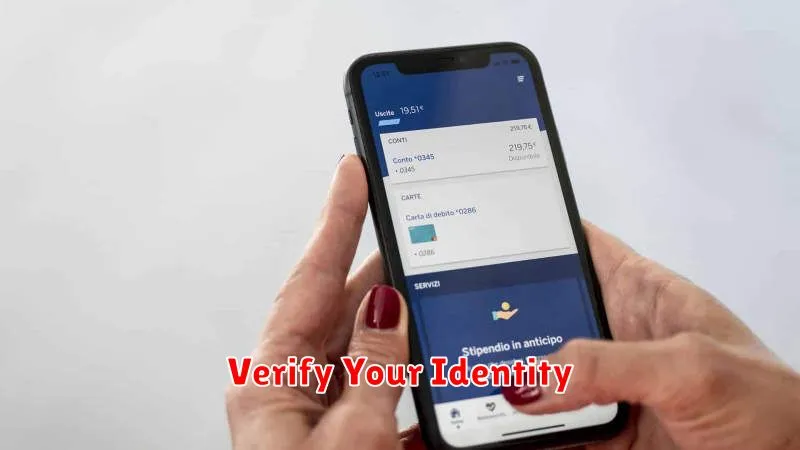
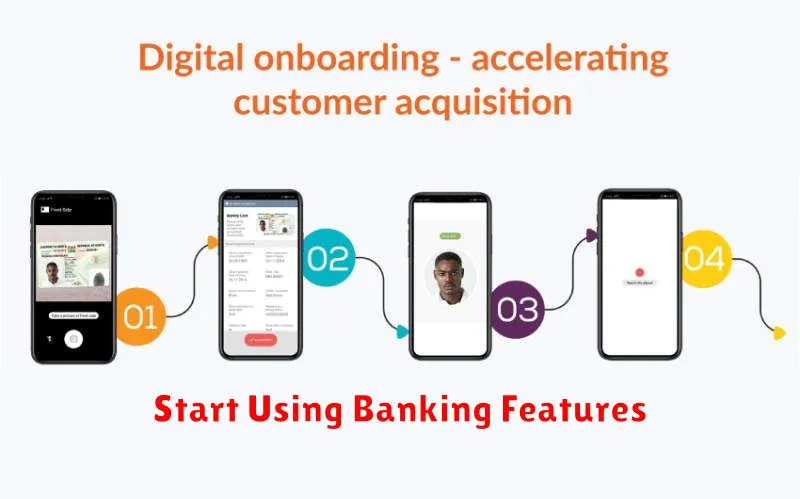
Verifying your identity is a crucial step in opening a digital bank account. This process ensures security and prevents fraud. Most digital banks use a process called Know Your Customer (KYC).
You will typically be asked to provide a few pieces of information. This commonly includes your legal name, date of birth, and address.
You’ll also need to provide a valid form of identification. Accepted forms of ID typically include a driver’s license, passport, or state-issued ID.
Some digital banks may utilize facial recognition software. This involves taking a selfie and matching it to your provided identification.
Link External Accounts
Many digital banks allow you to link your existing external bank accounts. This feature provides a consolidated view of your finances across multiple institutions, simplifying money management.
Linking external accounts often enables easy transfers between your accounts. This can be useful for consolidating funds, paying bills, or managing your overall financial portfolio.
The process for linking external accounts typically involves providing your login credentials for the external account. Security is paramount, so ensure the digital bank employs strong security measures like multi-factor authentication to protect your information.
Linking external accounts may not be an immediate feature upon opening your digital bank account. Some banks require you to complete identity verification or other steps before this option becomes available.
Start Using Banking Features
Once your account is officially open and funded, you can begin taking advantage of the many features offered by digital banks. These features are often more readily accessible than those offered by traditional banks due to the mobile-first nature of digital banking platforms.
Commonly used features include viewing account balances and transaction history, transferring funds between accounts or to external accounts, paying bills electronically, setting up direct deposit, and managing debit cards. Many digital banks also offer additional features like budgeting tools, savings goals, virtual cards for online shopping, and even investment options.
Explore the app or website interface to familiarize yourself with the location and functionality of these tools. Some digital banks offer tutorials or FAQs to guide you through using their specific features. Don’t hesitate to contact customer support if you encounter any challenges or have questions about utilizing the banking features.
